The Ultimate Guide to Local SEO for Home Improvement Businesses: Service x Location Pages That Actually Work
Customers in busy metropolitan areas with distinct suburbs often include specific location names in local service searches: “blocked drain Parramatta” (Sydney), “roof repairs Wynnum” (Brisbane), “plumber Brunswick” (Melbourne), “air conditioning service Norwood” (Adelaide).
This hyperlocal search behaviour creates a specific SEO opportunity for home improvement businesses that can show genuine service capability across multiple suburbs. But the pattern doesn’t exist everywhere. In sprawling outer-metro areas, regional towns, or markets where suburbs lack a distinct identity, customers search more broadly at the city or region level.
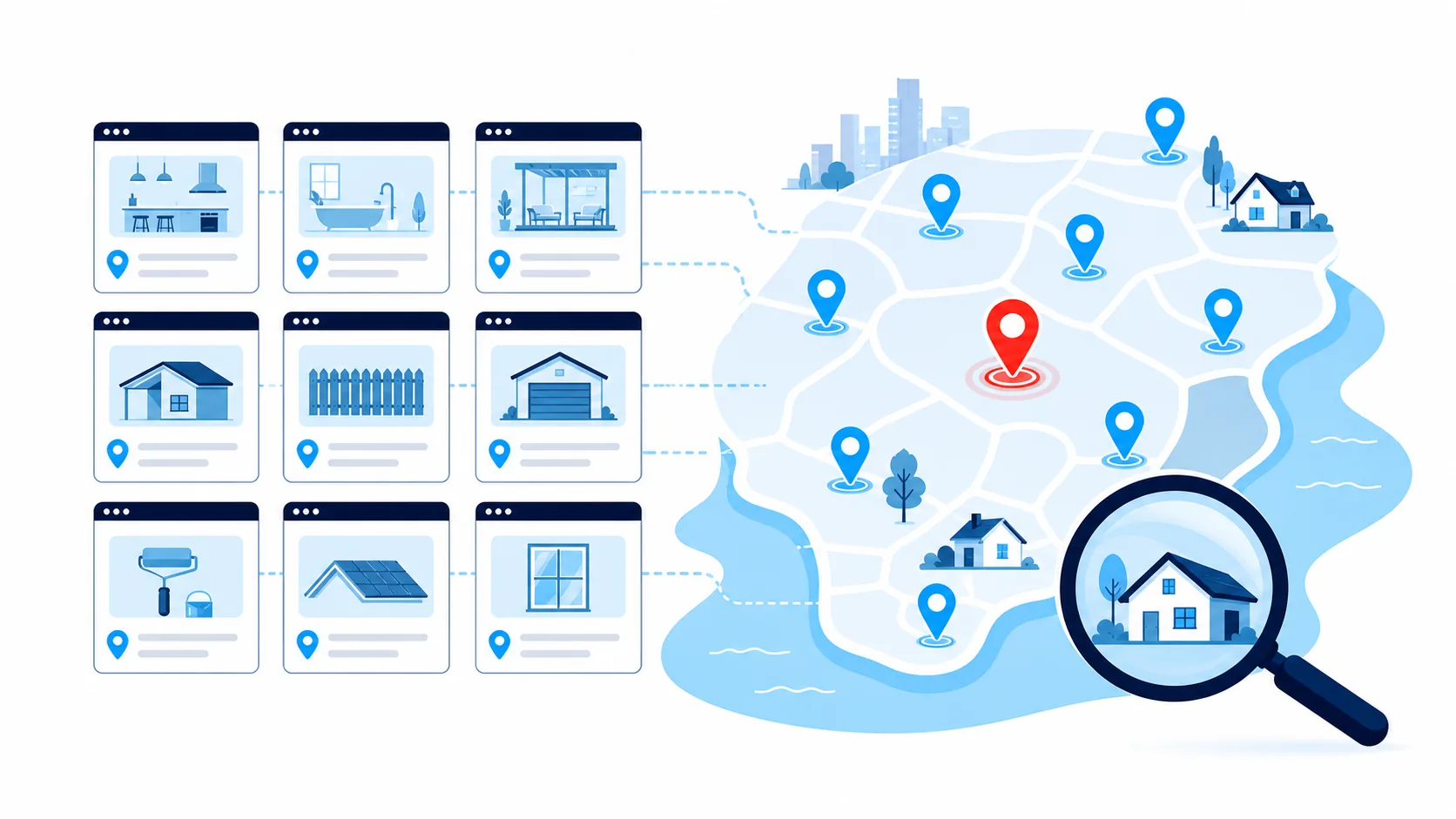
Service x location pages, which are dedicated pages targeting a specific service in a specific area, can capture this high-intent local traffic when built properly. They also carry real risk when executed poorly.
This guide gives you a systematic method for building service x location pages that rank and convert, whether you work in air conditioning, roofing, pools, kitchens, or solar. The focus throughout is quality-first work, not bulk page generation.
What Service Area Pages Are (And Why You Need Them)
A service area page is a page dedicated to a service you deliver in a specific location, even if you don’t have a physical office there.
A pool builder with a showroom in one suburb has a location page for that suburb: a physical place customers can visit, with address, hours and parking. The same business servicing pools in another suburb with no office there needs a service area page: proof of genuine service capability without physical presence.
For mobile home improvement businesses, service area pages typically drive more value because they reflect how you actually operate: you travel to customers. What makes them work is local proof, meaning completed projects, customer reviews, and location-specific knowledge.
Verify the Search Behaviour Exists in Your Market First
Before building location-specific pages, confirm people in your market actually search this way.
How to validate:
- Google autocomplete: Type “[your service] [your city]” and see if suburb names appear in the suggestions
- “People also ask”: Review whether location-specific questions appear
- Keyword research tools: Check Google Keyword Planner, Ahrefs, or similar for search volume on “[service] + [suburb]” queries
- Competitor strategies: Look at whether top-ranking local competitors use location-specific pages
If hyperlocal search behaviour exists in your market (distinct suburbs with search volume), location pages make strategic sense. Searches like “blocked drain Manly” or “switchboard upgrade Toorak” carry practical context that “plumber Sydney” doesn’t, and pages that match that specificity align with both how customers search and how Google evaluates relevance.
If people mainly search at the city or region level, build strong city-level service pages instead and skip the suburb-level granularity.
The One Warning That Matters: Thin Pages Hurt You
This is the critical risk with service area pages, so it gets said once, properly, here.
Low-quality location pages actively damage your site. They share predictable characteristics:
- Identical copy across dozens of locations with only place names changed
- No genuine local content or proof (photos, reviews, case examples)
- Twenty or more pages launched in one batch
- Low-value locations targeted for no strategic reason
The damage lands on your primary service pages’ rankings, your overall domain authority, and user trust the moment someone recognises templated content.
The fix is equally predictable. Start with a small batch of three to five pages. Build one at a time, leading with authentic proof. Test the performance impact before scaling. The objective is not “50 pages by Friday”. The objective is five pages that rank, convert, and establish a sustainable pattern.
If you’re not prepared to make each page genuinely useful and unique, don’t build location pages yet.
Everything that follows in this guide is a method for staying on the right side of that line.
Readiness Assessment Before Building Location Pages
Run a brief readiness check before creating any service area pages.
You’re Ready If:
Your homepage and primary service pages:
- Load efficiently on mobile devices
- Rank reasonably for non-location-specific terms
- Convert at acceptable rates
You have:
- Authentic project photos from target locations
- Several genuine customer reviews
- Time to build location pages properly, one at a time
You’re Not Ready If:
- Your site loads slowly on mobile
- Your phone number isn’t tap-enabled
- You lack any real proof from locations you want to target
Address these foundational issues first, then layer location pages on top of that stable foundation. This foundation layer (a fast site, tap-to-call, working forms, and on-site SEO basics) is exactly what the Website and Enquiry System provides, so you’re building location pages on infrastructure that already converts.
Budget Real Time For Each Page
A properly executed service x location page takes hours, not minutes: interviewing team members about actual projects in that location, researching local context, writing unique copy, optimising images, adding structured data, and testing before publishing. A deliberate, phased rollout maintains quality, protects site authority, and lets you adjust based on actual booking performance.
The Service x Location Prioritisation Framework
You can’t effectively serve all locations at once. Strong candidate locations share three characteristics:
- Areas you can reach promptly
- Locations where your most profitable projects occur
- Places where people actively search “[service] + [location]”
How to Choose Your First Five Locations
Think in clusters you know operationally well.
Pattern examples (adapt to your specific market):
- Sydney: Parramatta, Mosman, Manly, Ryde, the North Shore corridor
- Melbourne: Toorak, Hawthorn, Brighton, Camberwell, Frankston
- Brisbane: Ascot, Paddington, New Farm, Indooroopilly, Wynnum
- Adelaide: Norwood, Unley, Glenelg, Burnside, Prospect
- Perth: Fremantle, Subiaco, Scarborough, Joondalup, Cottesloe
Essential rule: Only choose a location if you have at least:
- One usable project photo from that area
- A brief proof statement (completed project description or customer quote)
- OR a customer review mentioning that location
If you lack proof from a location, complete a project there and collect documentation first, or choose a different area.
The Service x Location Matrix (How to Avoid Creating 100+ Pages)
Consider a business offering 5 services across 20 suburbs. That creates potential for 100 pages, a common path to the quality problems covered above.
Instead, use a phased approach:
- Select your primary service
- Build pages for that service across your first 5 locations
- Allow those pages to mature while monitoring rankings, enquiries and booked jobs
- If they perform well without damaging core service pages, add a second service across those same 5 locations, and only then expand to additional locations
This phased method prevents authority dilution and keeps you in control of quality.
Service-Specific Location Factors
Different service categories should weigh different local signals, both when choosing locations and when writing the pages themselves.
Air Conditioning and Heating
Prioritise locations by climate zone, seasonal demand peaks, and areas with ageing equipment. On the page: address summer maintenance and same-day availability during heat events in warm areas, seasonal preparation and typical equipment types in cooler ones. In affluent established suburbs, note access constraints in compact mechanical spaces and acknowledge finish quality expectations. One strong “before maintenance / after cleaning” image communicates more than promotional language.
Roofing and Exteriors
Prioritise storm and high-wind exposure corridors, common roofing materials by area, and coastal salt exposure where applicable. On the page: in storm-prone regions, lead with emergency triage and how you prioritise emergency patching. Reference the material types common to the area (tile, Colorbond, metal, slate) and their typical failure patterns. In coastal areas, mention salt-resistant fasteners and proactive maintenance. In heritage areas, address material matching and approval considerations prominently so prospects feel understood.
Pools and Spas
Prioritise suburbs with high pool density, property sizes that suit your builds, and local barrier or fencing requirements. On the page: cover drainage and ground movement in areas with challenging soil, and the compliance support you provide where barrier regulations are strict. Keep regulation information brief and location-appropriate. A clear pool in a typical residential setting with a location-specific caption does most of the visual work.
Kitchen Renovation
Prioritise renovation-active suburbs, housing age and architectural styles, and areas where typical budgets align with your minimum project values. On the page: in older housing, cover period detail considerations, structural characteristics of that era, and access through narrow passages. Where heritage overlays or owners corporation rules apply, explain the approval process. State your minimum project value clearly and present one nearby project with scope, timeline and finish quality. Appropriate enquiries proceed; inappropriate ones self-select out.
Solar and Battery Storage
Prioritise by state rebates and incentives, network and tariff characteristics, and typical roof orientations and tree coverage. On the page: display relevant professional certifications prominently, cover typical roof types and shading considerations, and keep incentive and tariff information factual and current. One installation image showing system size, roof type and a simple outcome statement is usually enough proof.
Across every category, your first five locations should be areas where the right type of work exists, margins are healthy, and logistics are manageable.
The Six Essential Elements of High-Performing Location Pages
Each page follows the same structure, customised with location-specific details.
1. Localised URL and On-Page SEO
- URL pattern: /service/location, for example /roof-repairs/brunswick
- Title tag: “[Service] in [Location] | [Trust Signal]”, for example “Roof repairs in Brunswick | Licensed and insured”
- H1 headline: Service + location in plain, descriptive language
- Copy: Australian spelling, natural language, moderate keyword usage
- Schema: LocalBusiness for core business information; FAQPage only if the page displays an actual FAQ section
2. Unique Content, Not Find-and-Replace
The page should read as though you genuinely work in that location regularly. That means:
- A brief introduction that names the location, identifies the common problem, and explains what happens next
- One or two statements about local housing characteristics, typical service issues, or constraints that demonstrate local knowledge
- A mini case example or proof statement: “Replaced deteriorated guttering on a Federation-era home in Brunswick within two days of storm damage”
- An authentic project photo from that neighbourhood type or a visually similar nearby area
Uniqueness comes from specific details, not elaborate prose.
3. Service-Specific Details for That Location
Address what actually happens operationally there. Coastal areas: air conditioning coils corrode faster, roofing fasteners loosen with salt air. Tree-dense suburbs: gutters need more frequent clearing, solar systems face shading, pool chemistry fluctuates with organic debris. Older established suburbs: narrow access, heritage overlays, ageing switchboards or plumbing. Higher-density inner-city areas: limited equipment access, noise restrictions, coordination with strata management.
Show that you understand the location’s challenges and how you handle them.
4. Trust Signals and Local Proof
- Licences and accreditations: Display credentials relevant to your state near your primary call-to-action, not buried in the footer
- Customer reviews: Brief, authentic testimonials that mention the location and service type and sound conversational
- Before-and-after documentation: One strong pair near the call-to-action outperforms extensive galleries
Trust builds through small, well-placed signals where attention naturally flows.
5. Maps, Images, and Visual Presence
Make the page visually communicate “this is your area”. Display a simple service radius map if you don’t have a physical location, use photos matching local housing stock, and add brief descriptive captions like “Metal roof repair in [location]”.
Keep your visual style consistent with your Google Business Profile, so someone moving from Maps to your website sees the same project types and quality. Your Business Profile itself is a separate discipline with its own ranking factors; our Google Maps ranking guide covers it in full.
6. Conversion-Ready Calls-to-Action and Contact Methods
Rankings provide no value if visitors don’t contact you.
- A tap-enabled phone number positioned prominently
- A brief contact form requesting name, phone number, location and a brief description
- A clear next-step statement: “We’ll call within 10 to 20 minutes during business hours to confirm timing”
- If you have service minimums or fees, state them near the contact button to filter out inappropriate enquiries before they consume phone time
What happens after the enquiry matters as much as the page itself. Our guide on turning enquiries into booked jobs covers that side.
The Unique Content System You Can Run Weekly
You don’t need creative inspiration. You need a repeatable workflow.
Step 1: Interview Your Team About Each Location
Ask straightforward questions:
- What do we consistently see in this area?
- What materials and brands appear frequently?
- Where do we run into access difficulties?
- Any local landmarks or common challenges?
Record brief voice notes during travel time and transcribe them into specific, usable statements. These operational details are what competitors can’t replicate.
Step 2: Research Location-Specific Context
You don’t need comprehensive research reports. Gather enough context to demonstrate local knowledge:
- Council websites for permit or compliance considerations
- Basic climate or exposure information (for relevant services)
- Housing age and architectural style patterns
- Local landmark references residents would recognise
- For solar: network area context and typical tariff structures
- For pools: local barrier and fencing requirements and basic soil characteristics
Use only information that helps the page feel locally informed and answer likely questions.
Step 3: Decide What Changes and What Stays Consistent
Always changes: introduction and local context, proof elements (review or mini case example), primary image, location-specific FAQ, location mentions throughout copy.
Rarely changes: core service process description, warranty information, coverage hours, basic contact options.
This maintains quality while keeping production manageable.
Step 4: Build Your Location Page Template
Use the same layout structure for every page so you’re not reinventing the method each time.
The structural spine:
- H1: [service] + [location]
- One-sentence promise
- Phone button and brief form
- Two short paragraphs: local context and common issues
- “How we handle this in [location]” section
- Mini case example or customer review from that area
- Licence credentials and trust elements
- Micro-FAQ tailored to that location or housing type
- Final call-to-action with tap-enabled phone and form
Fill the template with each location’s specific details. You get consistency without copy-paste duplication.
Technical Implementation That Protects Site Health
Choosing Your URL Structure
For most home improvement businesses, /service/location is the cleanest pattern: /air-conditioning-repair/toorak, /plumbing-services/brunswick.
Location-first URLs (/location/service) only make sense if your entire navigation is location-led. Avoid /locations/location for areas where you don’t have physical offices. It implies a storefront presence you can’t back up.
Internal Linking That Strengthens Priority Pages
Use links strategically, not excessively:
- From your main service page: link to your top 3 to 5 location pages
- From your homepage: link to your strongest-performing locations once validated
- Between neighbouring locations: provide easy navigation for prospects on geographic boundaries
Keep anchor text natural: “Roof repairs in Parramatta”, “Pool cleaning in Brunswick”. A few relevant, strategic links outperform dozens of random connections.
Schema Markup for Local Context
Schema markup is simple code that helps search engines understand what’s on the page.
- LocalBusiness schema: legal business name, phone number, operating hours, service area
- FAQPage schema: only if you actually display an FAQ section on that page
Make sure schema accurately reflects visible page content, and test the implementation before shipping.
How to Test Location Pages Before Scaling
Start with three to five locations. Allow 6 to 12 weeks of performance observation.
Monitor:
- Rankings for “[service] + [location]” queries, in both organic results and the local map pack
- Overall performance of your core service pages
- Calls and form submissions from location-specific URLs
If core pages hold or improve and location pages generate consistent traffic and genuine enquiries, carefully add one or two more. If core pages decline, slow down and strengthen existing pages before adding anything.
A “one page per month” pace is a sound guideline rather than a rigid rule. It gives you time to gather additional proof from each location and refine each page based on performance.
Measuring Success: Metrics That Actually Matter
You’re not chasing page count. You’re building a booking system, so measure bookings:
- Calls and form submissions from each location page
- Conversion rate from enquiry to booked job
- First-visit revenue by location page
Rankings and traffic are supporting data. In Google Analytics 4, review visits per location page, time on page, and navigation paths to call or form submission. A page with moderate traffic but strong contact behaviour is doing its job.
If a page consumes resources without ever generating bookings, refine or retire it. If a page consistently generates profitable work, invest more attention and consider directing paid traffic to it.
The Six-Month Review
At six months, make strategic decisions:
- Expand: location pages perform well and core pages remain stable
- Optimise: rankings exist but conversion rates need improvement
- Pause: pages are damaging primary pages or not justifying the investment
The objective isn’t completing the location list. It’s building profitable coverage where it strategically matters.
Advanced Tactics: Paid Traffic, Reviews, and Multi-Location
Once foundational elements perform well, you can layer on more:
- Targeted paid search: direct “[service] + [location]” searches to matching location pages to gather conversion data faster and stress-test page performance under higher traffic
- Location-specific reviews: ask customers in each area for reviews that naturally mention the location. These strengthen both your Maps presence and your location pages. Our Google reviews guide covers how to ask.
- Secondary physical locations or franchise units: create a hub page for that city or region, nest its service x location pages under it, and hold the same quality standard: one service, one location, one clear conversion path
Your Implementation Path
Service x location pages aren’t a ranking hack. They’re a systematic method to align how customers search with how you actually operate.
The successful sequence:
- Validate the search behaviour exists. Confirm people in your market search with suburb specificity. If they don’t, build city-level pages instead.
- Establish solid foundations. Fast-loading website, clear primary service pages, tap-enabled phone, authentic proof elements.
- Build five location pages that feel genuinely local. Specific operational context, authentic photos, location-specific reviews, brief forms and strong calls-to-action.
- Let them validate performance. Rankings, call volume, booked jobs.
- Expand carefully, one or two at a time, only as existing pages keep delivering.
Execute this sequence and your website stops working as a static brochure and starts working as a booking system for the locations you actually serve. Location by location, you turn quiet periods into a predictable flow of work.
Get the Pages Built and Ranked for You
Everything in this guide is doable in-house if you have the hours. Most owners don’t, and location pages built in spare moments tend to drift into the thin-content trap. Our Local SEO and Full SEO accelerators handle it as a managed job: Business Profile, suburb pages, citations and content built one quality page at a time, all sitting on the Website and Enquiry System, the website and follow-up system that makes those pages convert. You get the rankings and the booked jobs without becoming a part-time SEO. If you’d like to see how it works on a real account, see it live.Lead Generation
Book a demo